


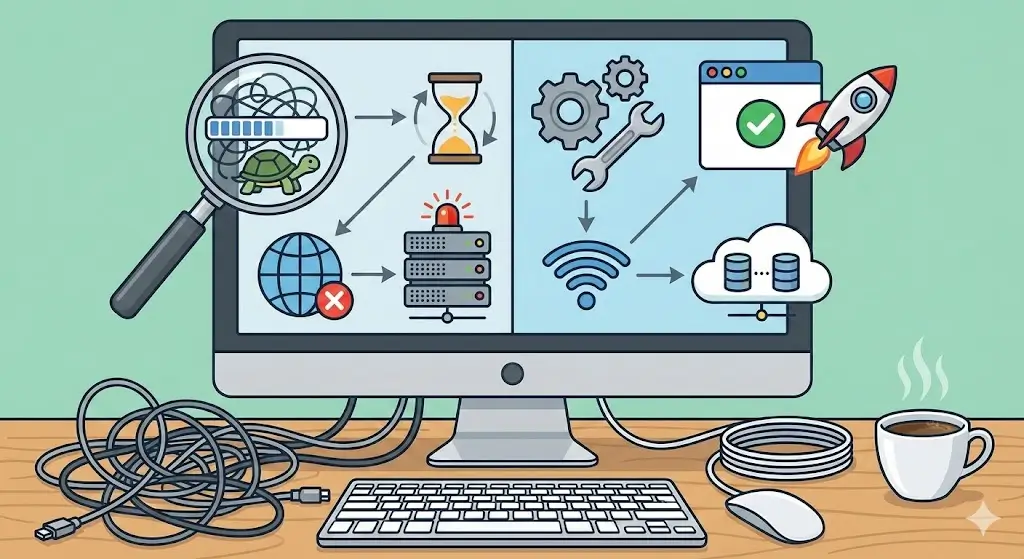
Slow websites and leggy browsers are today’s most frustrating digital problems. One minute, everything’s fine; the next minute, your browser is taking too much time, it is taking too much time to load your Facebook feed, YouTube is failing to play smoothly, or other websites will not open at all. Whether you are using Chrome, Firefox, Chromebook, or any other browser, slow loading pages could result in wastage of time, consequently reducing productivity and bringing in a real stress situation.
What Does “Website Took Too Long to Respond” Really Mean?
When you see messages like “website took too long to respond”, “site is not loading”, or “this website is under heavy load”, it means your browser tried to connect to a website but did not receive data fast enough.
This delay can happen because of:
l A slow or unstable internet connection
l Browser issues (cache, extensions, outdated version)
l Problems with the website’s server
l Network congestion or heavy traffic
l Device performance problems
It is important to understand that slow loading is not always your fault. Sometimes the website itself is the slowest website at that moment.
Why Is My Web Browser So Slow?
Many people search for “why is my web browser so slow” or “why my browser is slow”. This usually happens due to multiple small problems building up over time.
Common browserrelated reasons
l Too many open tabs
l Heavy extensions or addons
l Corrupted cache or cookies
l Old browser version
l Low system memory (RAM)
Why Are My Tabs Loading So Slow?
If you ask “why is my tabs loading so slow?”, the most common reason is resource overload.
Each tab uses memory and processing power. Opening:
l Facebook
l YouTube
l Twitter
l Amazon
l Online tools or dashboards
at the same time can slow down even powerful systems.
Fix:
l Close unused tabs
l Use browser task manager (Chrome has one)
l Restart the browser
This simple step alone can fix many laggy website issues.
Why Is My Browser So Glitchy?
A glitchy browser may freeze, scroll slowly, or show broken pages. People often describe this as:
l Browser getting slow
l Browser going slow
l Internet browser running slow
Causes of a glitchy browser
l Conflicting extensions
l Malware or adware
l Corrupted browser profile
l Hardware acceleration issues
Solution
l Disable extensions one by one
l Run a malware scan
l Turn off hardware acceleration
l Reset browser settings
Websites Loading Slowly: Internet Connection Problems
Common UK internet problems
l Peaktime congestion (evenings)
l WiFi interference
l Old router
l Distance from router
Fixes
l Restart your router
l Use a wired Ethernet connection
l Move closer to the router
l Test your internet speed
If your internet page loading is very slow only at certain times, congestion is likely the cause.
Facebook Loading Very Slow – Why Does It Happen?
Many users complain about:
l Facebook loads very slow
l Slow Facebook loading
l Facebook going slow
Reasons Facebook is slow
l Heavy media content (videos, reels)
l Background scripts
l Tracking and ads
l Serverside issues
What you can do
l Clear Facebook cache
l Disable unnecessary extensions
l Use Facebook Lite or mobile version
l Check if Facebook is down globally
Sometimes, Facebook itself is under heavy load, and there is nothing wrong with your device.
Twitter Loading Slowly
If Twitter (X) is loading slowly, it is usually due to:
l Realtime data processing
l Large images and videos
l Server demand during trending events
Fix
l Refresh the page
l Log out and log back in
l Clear cache
l Try another browser
Why Does YouTube Load So Slow?
People often search “why YouTube load so slow” when videos buffer endlessly.
Main reasons
l Low bandwidth
l Network throttling
l Background downloads
l Browser cache issues
Fix
l Lower video quality
l Pause other downloads
l Clear browser cache
l Restart router
YouTube needs a stable connection more than most websites.
Why Is Amazon Website So Slow?
If you are asking “why is Amazon site so slow?”, the reason is often:
l Heavy traffic during sales
l Personalised content loading
l Browser extensions interfering
Solution
l Open Amazon in private mode
l Disable ad blockers temporarily
l Refresh during offpeak hours
Chrome Browser Slow to Load Pages
Chrome is powerful but can become heavy over time.
Reasons Chrome loads websites slow
l Too many extensions
l High memory usage
l Corrupted user profile
Fix
l Remove unused extensions
l Reset Chrome settings
l Update Chrome
This applies to:
l Chrome very slow loading pages
l Chrome slow loading web pages
Firefox Slow to Load Web Pages
Firefox users may experience laggy websites due to:
l Tracking protection conflicts
l Addons
l Old versions
Fix
l Update Firefox
l Disable addons
l Refresh Firefox profile
Chromebook Slow Loading Pages
Many users complain about:
l Chromebook slow loading pages
l Chromebook slow to load pages
Causes
l Limited RAM
l Too many Android apps
l Low storage
Fix
l Close apps
l Powerwash (factory reset)
l Remove unused files
Why Some Websites Are Not Loading at All
If some websites load while others don’t, the issue may be:
l DNS problems
l Firewall restrictions
l ISP blocking
Fix
l Change DNS to public DNS
l Disable VPN temporarily
l Flush DNS cache
Websites Not Loading Properly
Broken layouts, missing images, or partial loading usually mean:
l Cached files conflict
l Script errors
l Browser compatibility issues
Website fix
l Hard refresh (Ctrl + F5)
l Clear cache
l Try another browser
Web Application Running Slow
A web application running slow is different from a normal website.
Reasons
l Backend server delay
l Database issues
l Too many users
What to do when web application is really slow
l Check status page
l Report issue
l Wait for server fix
How to Diagnose If a Web Application Is Slow
Steps:
l Test on another device
l Test on another network
l Try another browser
l Check developer tools
If the problem appears everywhere, the issue is serverside.
This Website Is Under Heavy Load – What It Means
This message appears when:
l Too many visitors
l Server capacity reached
There is nothing you can fix except waiting.
Laggy Website vs Slow Internet
Laggy website:
l Only one site is slow
Slow internet:
l All sites are slow
Knowing the difference saves time.
Stop Loading Errors
Endless loading happens due to:
l JavaScript errors
l Blocked scripts
l Network drop
Space Marine 2 Long Loading Times (WebBased Launchers)
Long loading times for games using web launchers often relate to:
l Server congestion
l Background downloads
Wait or restart launcher.
Website Fixes for Everyday Users
Quick website fixes:
l Restart browser
l Clear cache
l Update browser
l Restart router
Website Fixes for Business Owners
If your website is not loading:
l Check hosting performance
l Optimise images
l Use caching
l Reduce scripts
Why Are My Browsers So Slow All of a Sudden?
l System updates
l Malware
l Background apps
Run system cleanup and scans.
Slowest Website Problems Are Usually Temporary
Even the biggest platforms face slowdowns.
Final Thoughts
Slow browsing or website performance has been an issue which almost all people have had to deal with at least in their lifetime when they are at home or at office or even when they are on the move. Generally, it’s not much of a concern to anyone and also does not imply that there’s something wrong with it. Closing too many tabs or an overflowing Wi-Fi network can be reasons.
It’s all about keeping your head and taking one check at a time. Just try it another way by hitting the refresh button on your page, or wait a couple of minutes if you notice traffic on your page. All these are related to downloading speed problems, which can be solved in that way.
The awareness that a problem may exist between a browser, the internet, and a website may assist individuals in saving their time and frustrations. Upon knowing where the problem lies, resolving the issue becomes easier.
FAQs
Why is my browser so slow even with fast internet?
Because cache, extensions, or system memory can slow the browser itself.
Why does Facebook load very slow sometimes?
Facebook uses heavy media and can slow down during peak traffic times.
Why is Chrome very slow loading pages?
Too many extensions or high memory usage usually cause this.
What should I do when a web application is really slow?
Test on another browser or device and check if the issue is serverside.
Why is YouTube loading so slow today?
Network congestion or bandwidth limits often cause video buffering.
Are slow websites always my fault?
No. Many times the website itself is under heavy load.